Title here
Summary here

Conveniently access your files on MOGON from your local computer.
| Share | Host | Filesystem | Description |
|---|---|---|---|
home |
fshpc.zdv.uni-mainz.de |
NetApp | Home directory |
project1 |
mogon2smb.zdv.uni-mainz.de |
Lustre | Project directories of all groups except those that have a separate share (atals, icecube, na62, tronhpc, jgu-cbdm) |
MOGON 2 only
1 Currently only the MOGON 2 project directories are available via SMB.
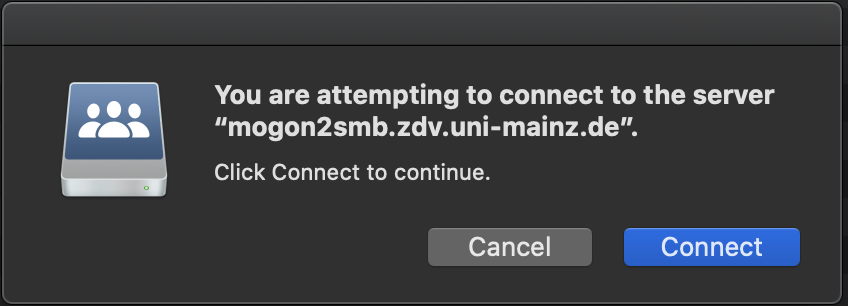
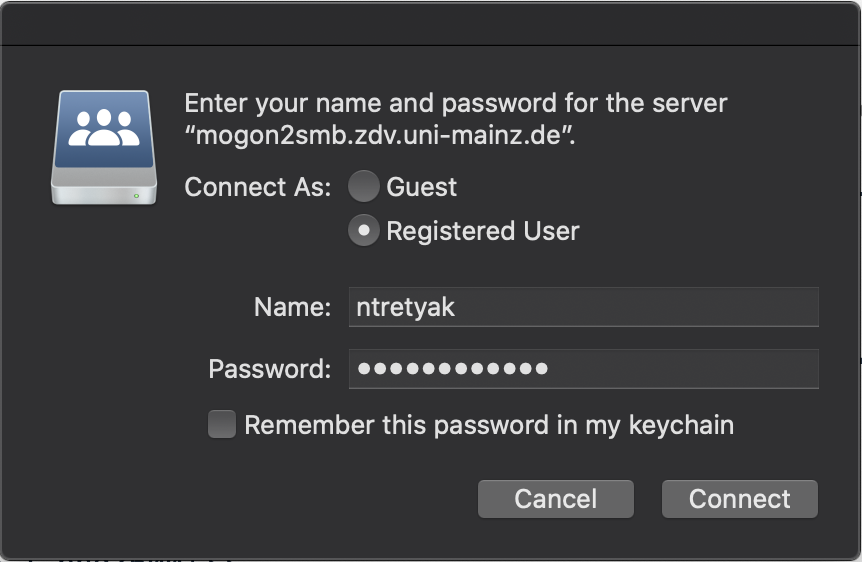
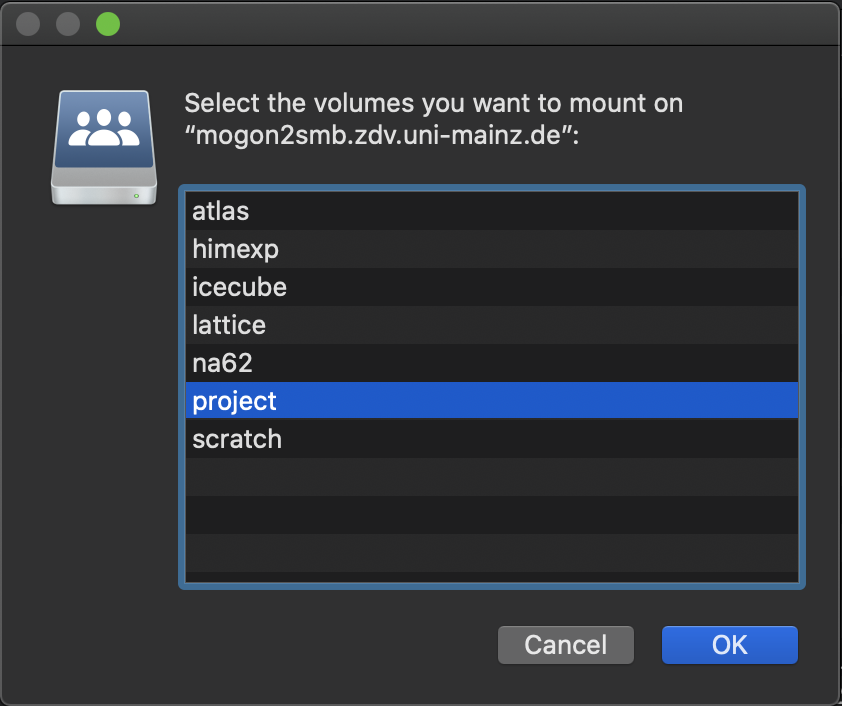
MOGON’s filesystems NetApp and Lustre can be mounted under Windows, Linux, and MacOS. Please follow the instructions for your respective operating system.
If you are located outside of the University Campus, you first have to create a VPN connection as explained in this article:
Configuring a VPN for network access from outside of campus.
HPC Guest Account Users
In case your MOGON group is not part of JGU, the guest account you were assigned is not a full account and does not permit VPN connection. Therefore, remote access via mounting network shares is not possible.
Shellgio mount smb://<username>@fshpc.zdv.uni-mainz.de/<username>gio mount smb://<username>@mogon2smb.zdv.uni-mainz.de/project/<project-name>UNI-MAINZ with Enter.After this you should see the contents of the folder in your file manager, e.g. Dolphin.
Chances are, that some gio versions will show Domain [WORKGROUP]: rather than Domain [UNI-MAINZ.DE]:. In this case try entering UNI-MAINZ manually (without the .DE-string). Check the working of your VPN, first.
You can find the share under the following path:
/run/user/<uid-number>/gvfs/smb-share:server=mogonsmb.zdv.uni-mainz.de,share<username>,user=<username>Use tab completion once you are in the folder /run/user/.
If you are unclear about your <uid-number>, confirm it with:
id <username>Alternatively, you can open the file manager of your OS, browse to the mounted share, right click on a folder and then choose Open in Terminal.

You can access the Lustre filesystem in the same way as described above by entering the corresponding address.
\\fshpc.zdv.uni-mainz.de\<username>
\\mogon2smb.zdv.uni-mainz.de\project\<project-name>
For the login information, please enter the user name in the following format:
uni-mainz.de\<username>